Text
How to make a word bold
Select the word in the box on the left and press B. On the page, the word looks thicker.
Bold applies to a word or a part of a sentence, not to the whole paragraph.
1. Open the text
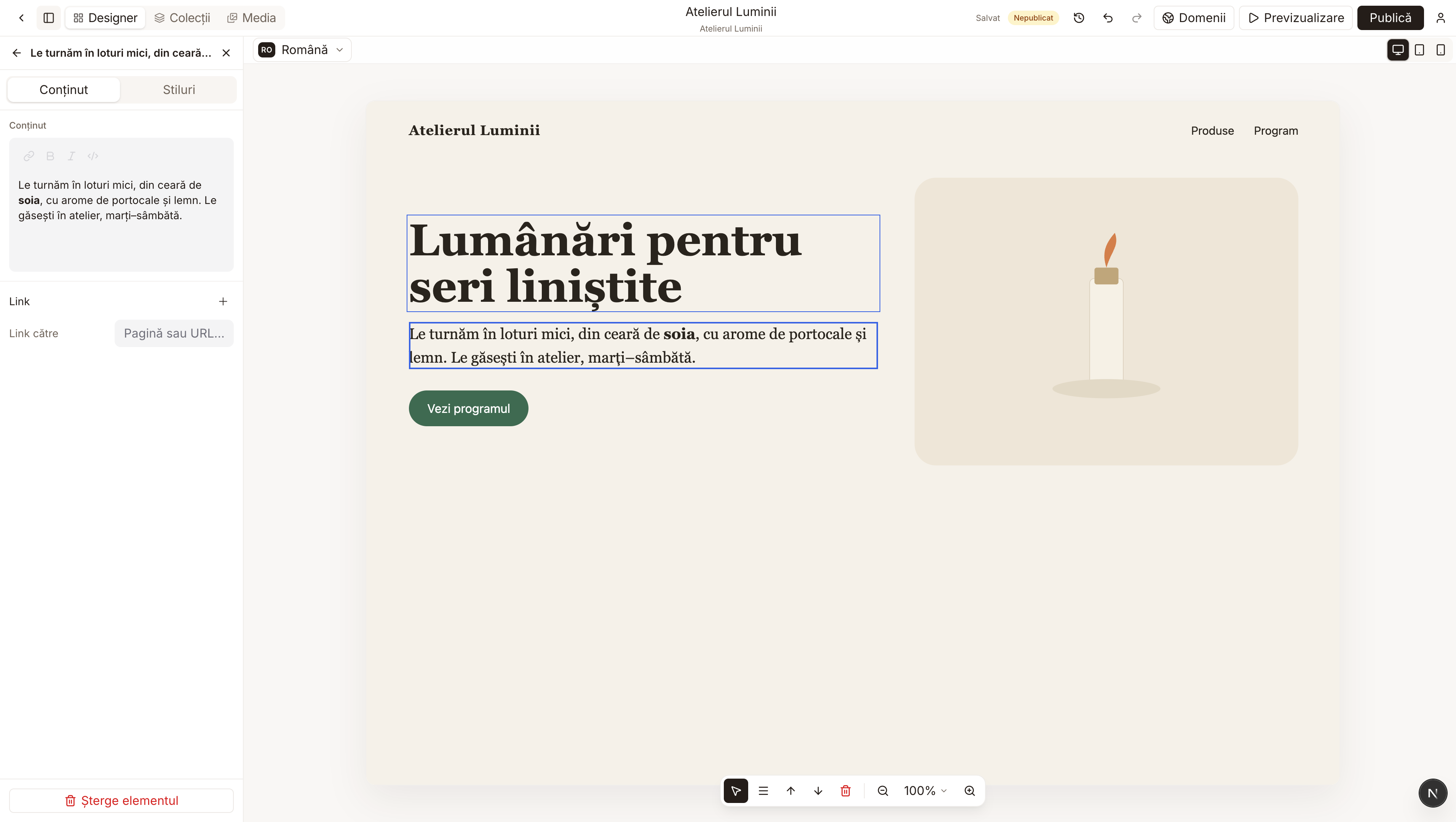
Click once on the paragraph that holds the word. On the left, above the text, a few small buttons appear. B means bold. I means italic.
2. Select the word
In the Content box, drag the mouse over the words you want in bold. The B button lights up only after you have selected something.
3. Press B
The word looks thicker both in the box and on the page. In the example, "soia" (soy) is bold in the middle of the sentence.
To go back to normal text, select the word again and press B once more.
If you type right on the page, after a double-click, you can also make text bold from the keyboard: Command and B on a Mac, or Ctrl and B on Windows. I makes it italic, U underlines it.