Buttons
How to change a button
Click the button, change its text, and pick the page it leads to.
A button has two things you can change: what it says and where it takes the person who presses it.
1. Change the text
Click the button once. On the left, under Link text, is what the button says. On some buttons the field is called Button label. Rewrite it there. The page shows it right away.
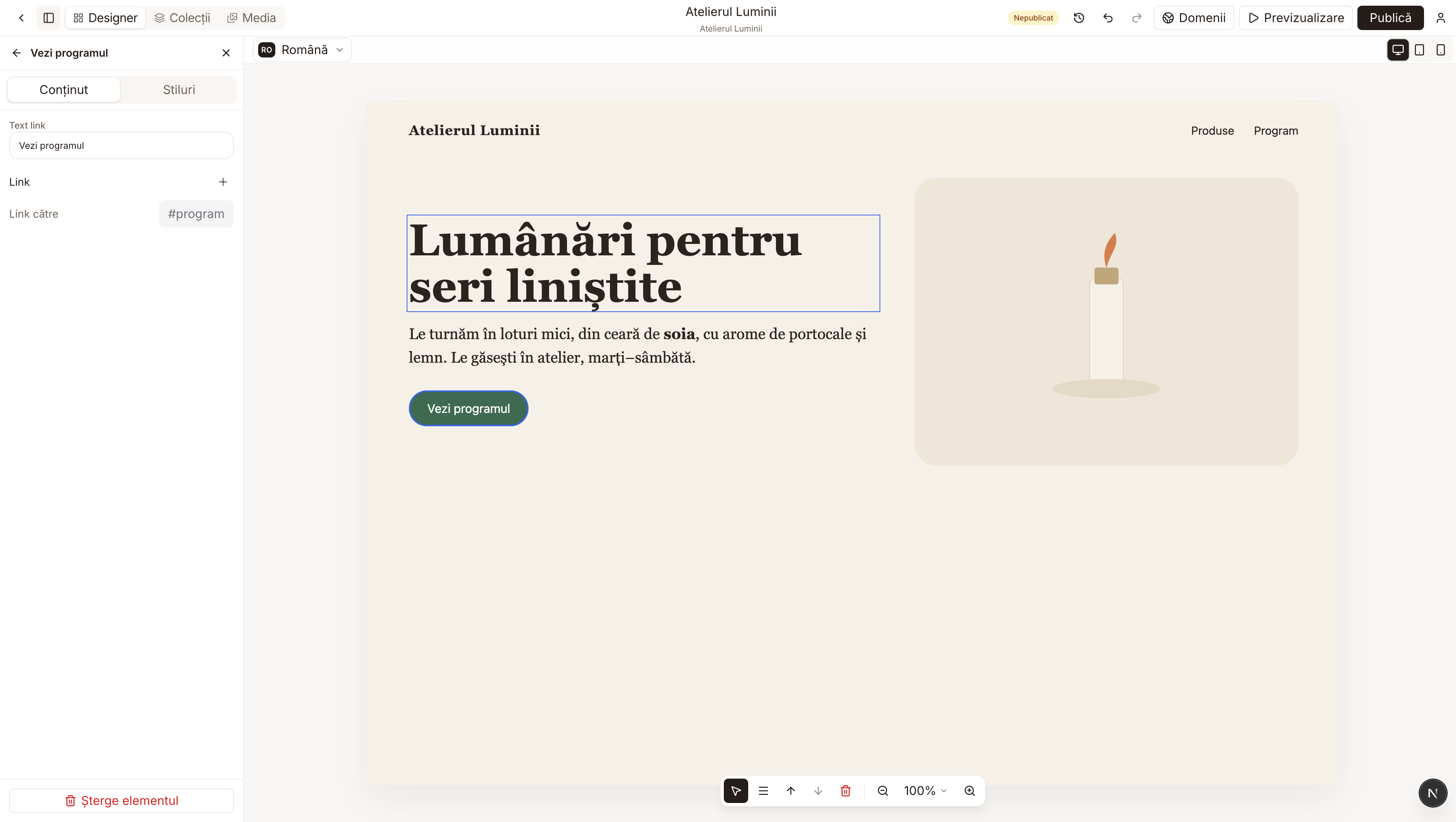
2. Change where it leads
Under Link to, click the current address. A small window opens with three kinds of destination.
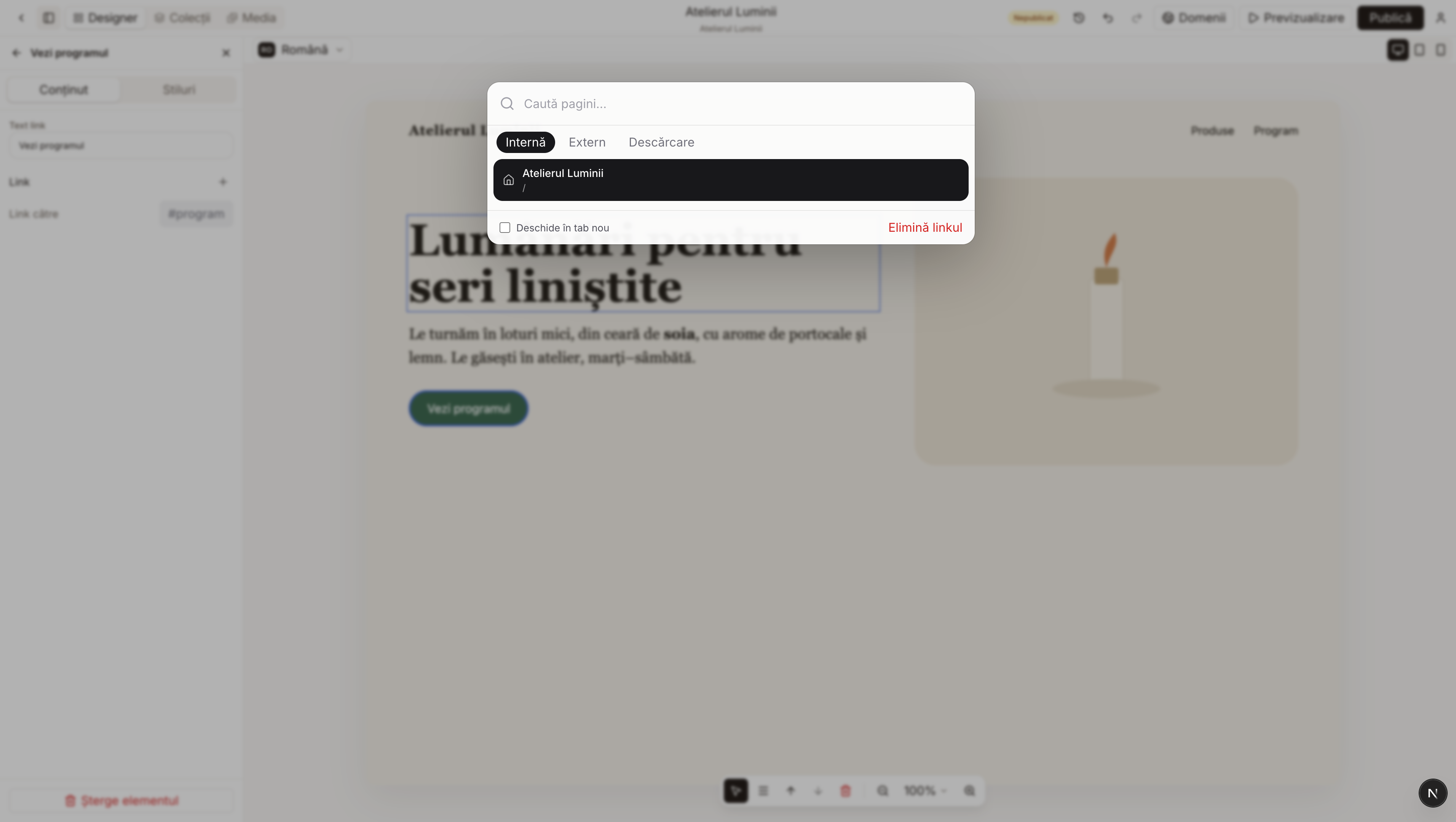
Internal: you pick a page of the site, for example Home. External: you paste an address that starts with https://. Download: you pick a file the visitor can save. The Open in new tab box keeps your site open and opens the destination in a separate tab.
Remove link takes the destination away. The button stays on the page but leads nowhere. Use it only if that is what you want.