Text
How to change a text
Click the text on the page and rewrite it in the box on the left. The change shows right away.
Texts on the site are changed right on the page. You don't install anything and you don't work in a separate file.
1. Open the page
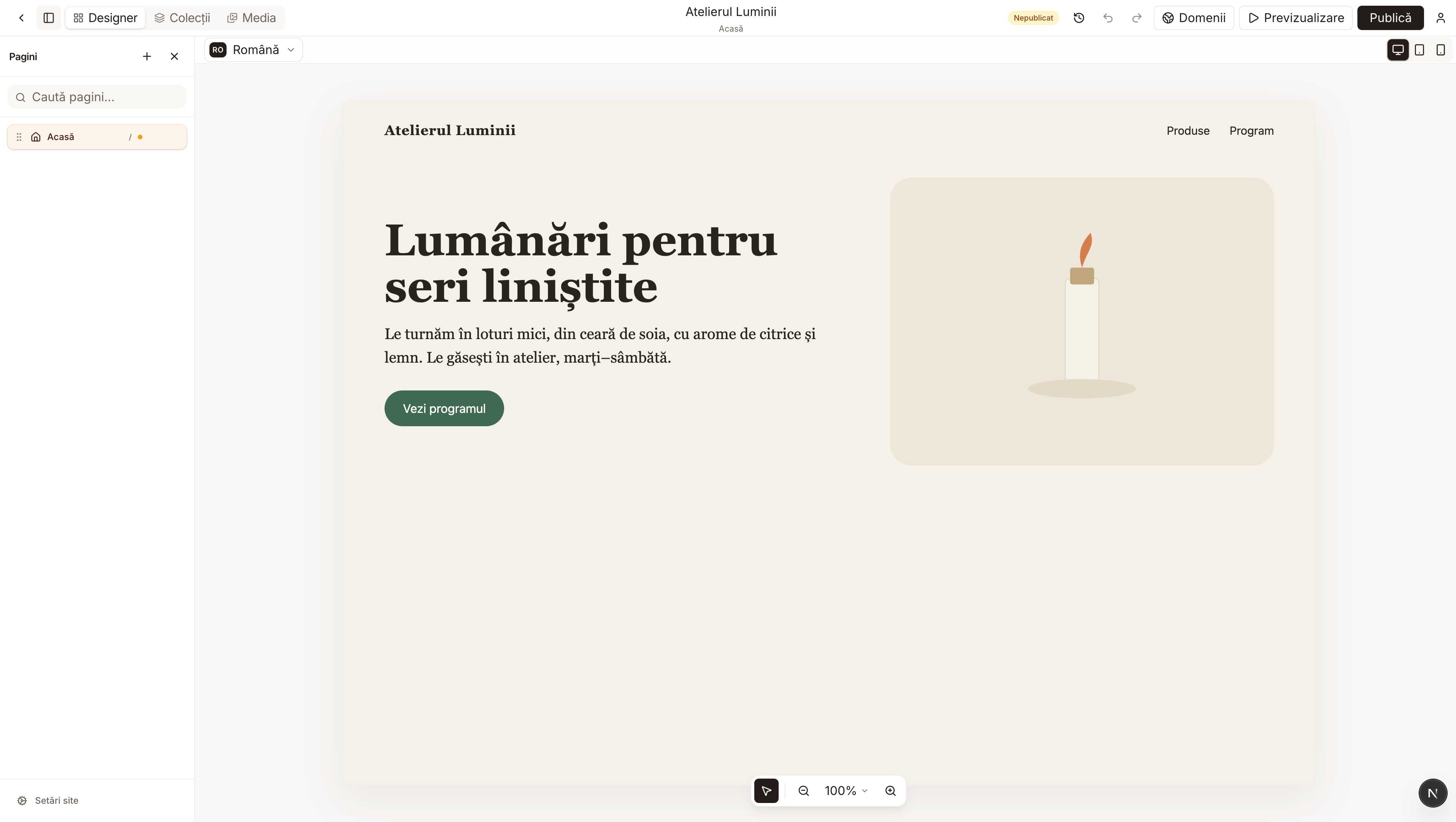
From My projects, press Edit on your site. On the left, under Pages, choose the page you want to change. Below is the Home page of a candle workshop, used only as an example.
2. Pick the text
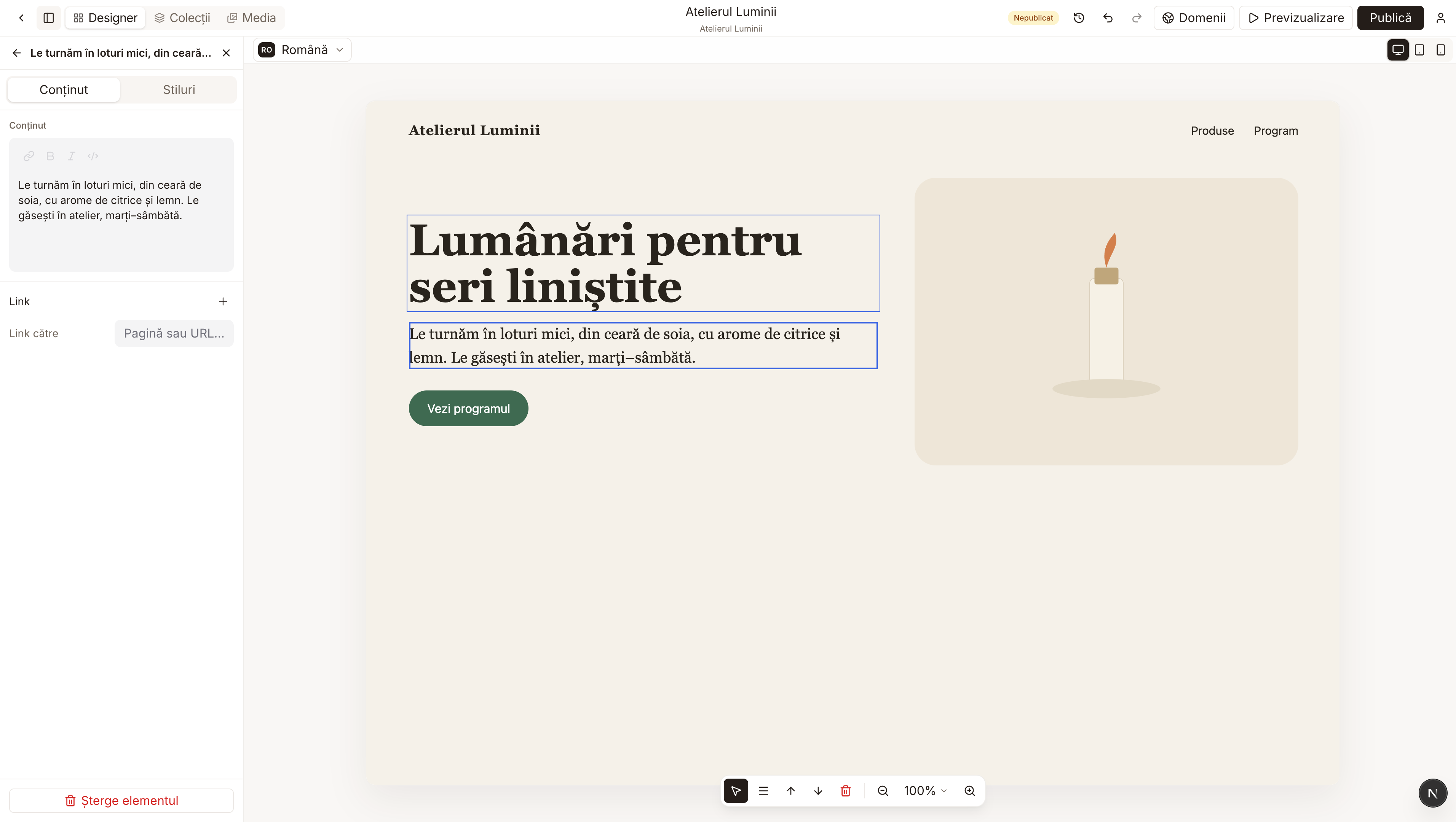
Click once on a heading, a paragraph or a word in the menu. The text gets a blue frame. On the left, the Content box opens with the same words.
3. Type the new text
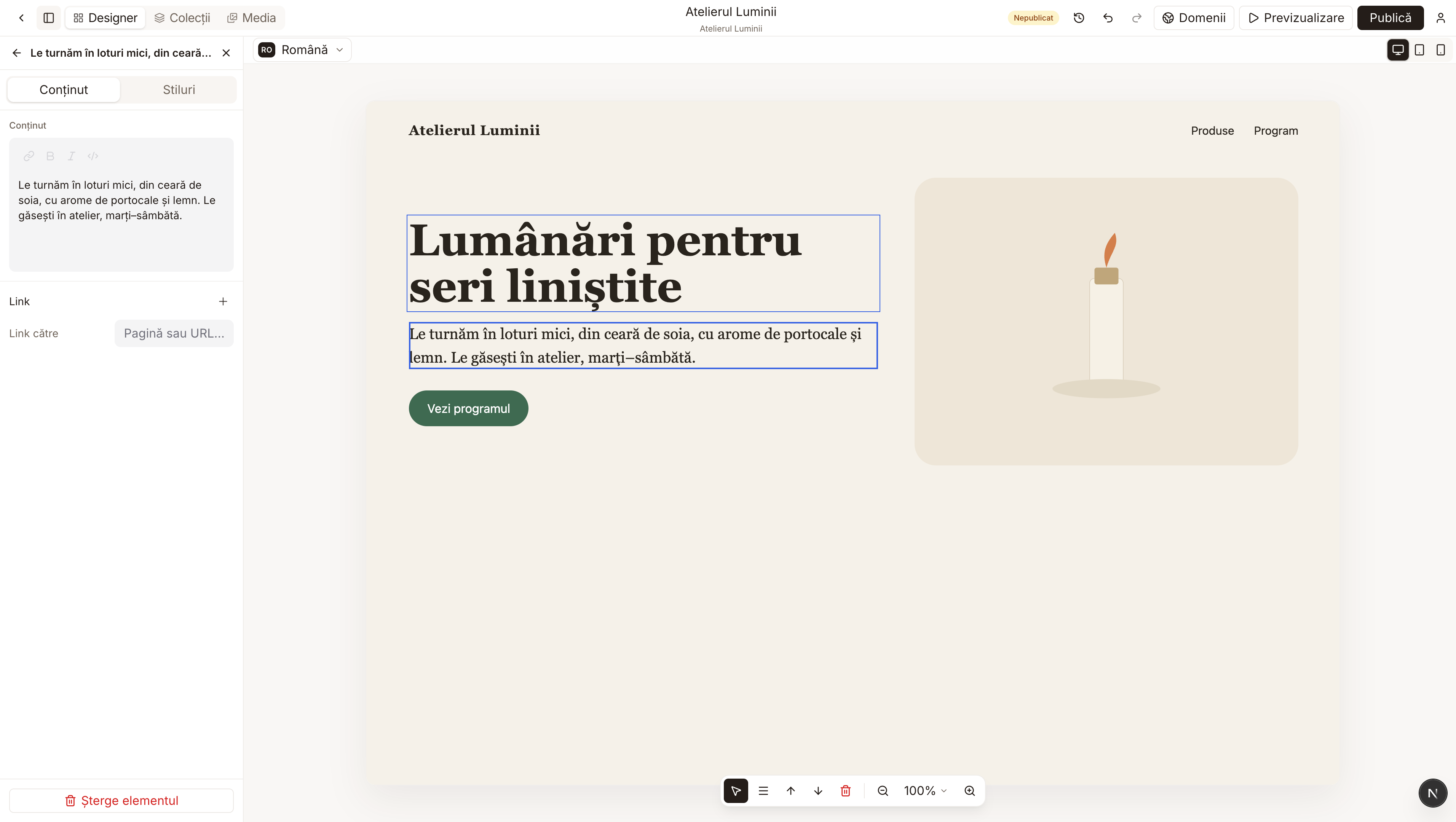
Delete what you no longer want and type in its place. On the page, the text changes at the same time. In the example, "citrice" (citrus) became "portocale" (oranges).
You can also double-click the text on the page and type there. When you are done, click somewhere next to the text to stop typing.